QR Code Menu vs Printed Menu: Which Is Better for Restaurants?
Should your restaurant switch to QR menus or keep printed menus? Explore the costs, benefits and practical differences to find the right option for your business.
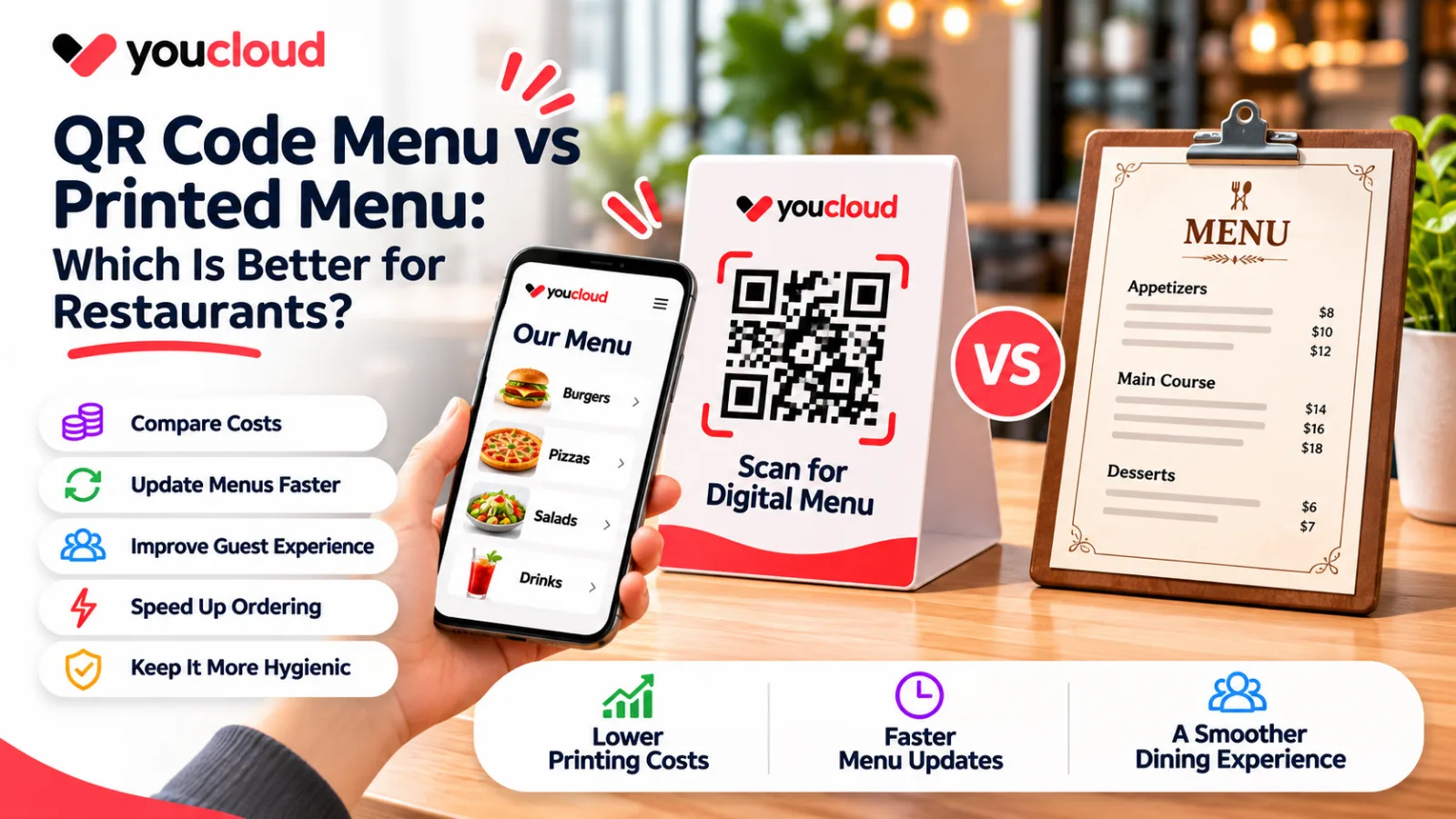
A QR code menu helps restaurants cut printing costs, update food prices and make menus easy to access. Guests can scan a code with their phones and view the menu in seconds. However, printed menus still offer value in many dining settings.
So, which option works best for your restaurant? The answer depends on your costs, service style and customer needs.
What Is a QR Code Menu?
A QR code menu is a digital food and drink menu that guests open by scanning a QR code with their phones.
Instead of waiting for a paper menu, guests can browse food items, check prices and view meal options on their own devices.
In addition, some systems allow guests to place orders and pay from their phones. This can save time for both guests and staff.
QR Code Menu vs Printed Menu: Key Differences
Both menu types serve the same basic purpose. However, they differ in how restaurants manage and share them.
1. Printing and Maintenance Costs
Printed menus come with ongoing costs. Each time you change a price or add a new dish, you may need to print new copies.
For example, if a café prints 50 menus at $3 each, a full menu update costs $150. Four updates a year would cost $600 in printing alone.
In contrast, a digital menu can reduce the need for reprints. Still, restaurant owners should factor in software fees and setup costs.
2. Menu Updates and Price Changes
Food costs often change. As a result, restaurant owners may need to adjust prices to protect their margins.
With printed menus, these changes take time and money. A digital menu allows staff to edit prices and food items without replacing every menu.
For example, when a dish sells out, staff can mark it as unavailable if their menu system supports this feature.
3. Customer Experience
A printed menu offers a familiar dining experience. Guests can browse food options without using their phones.
On the other hand, a digital menu can provide clear food photos, dish details and easy access to menu sections.
Therefore, the best choice depends on what your guests prefer. A busy café may benefit from QR menus, while a fine dining restaurant may still prefer paper menus.
4. Order Speed and Staff Workload
During busy hours, guests may wait for staff to bring menus or take orders.
With a QR code menu, guests can start browsing as soon as they sit down. Furthermore, systems that support direct ordering may reduce the time staff spend taking orders.
As a result, your team can spend more time serving food and helping guests.
5. Hygiene and Daily Use
Printed menus pass through many hands each day. Consequently, staff need to clean or replace them as part of their daily tasks.
Digital menus reduce the need to share physical menus. Instead, guests use their own phones to browse food and drink options.
However, QR code stands still need regular cleaning and care.
Can Digital Menus Help Restaurants Increase Sales?
A well-designed digital menu can help guests find items they might otherwise miss.
For instance, restaurants can highlight popular dishes, meal deals, desserts and extra toppings. Likewise, clear food photos may help guests decide what to order.
However, too many offers can make a menu hard to use. Keep the layout simple, show clear prices and make popular items easy to find.
What About Guests Who Prefer Printed Menus?
Not every guest wants to use a phone while dining. Some may have a low battery, poor internet access or difficulty reading a small screen.
Therefore, restaurants should keep a few printed menus available.
Digital menus should also use clear text, good colour contrast and simple layouts. The W3C Web Accessibility Initiative offers useful guidance on making web content easier for people with different needs to use.
Offering both options gives guests more choice without adding stress to their visit.
How to Set Up a QR Menu for Your Restaurant
Start by choosing a digital menu system that fits your daily needs.
Next, add your food items, prices, photos and dish details. Make sure all food and allergy information is correct.
Then, place QR codes on tables or at the counter. Test each code on different phones before making it available to guests.
Finally, train your staff to help guests scan the code and use the menu. Check your menu details often to keep prices and food options up to date.
Simplify Restaurant Ordering With YouCloud
Your digital menu should fit into the way your restaurant handles orders, sales and payments.
With the right tools, guests can enjoy a smoother dining experience while staff spend less time on routine tasks.
Explore youQR by YouCloud to discover digital ordering options for your café or restaurant.
Final Thoughts
A QR code menu is a practical choice for restaurants that want to reduce printing costs, update menus faster and make ordering easier.
However, printed menus still have a place in the dining experience. Rather than removing them completely, consider offering both options.
Ultimately, the best menu is one that helps your team work better and makes it easy for every guest to enjoy their meal.