Digital Payment Solutions for Businesses: Types, Benefits and How to Choose
Explore the types and benefits of digital payment solutions. Learn how to accept payments, reduce checkout errors and choose the right tools for your business.
Customers want a quick and easy way to pay. Some prefer cards, while others use their phones or scan QR codes. Digital payment solutions help businesses offer these choices in one connected setup.
However, taking payments is not the only task. Business owners also need to track sales, check refunds and manage daily reports.
With the right tools, merchants can save time, reduce errors and make checkout easier for their customers.
What Are Digital Payment Solutions?
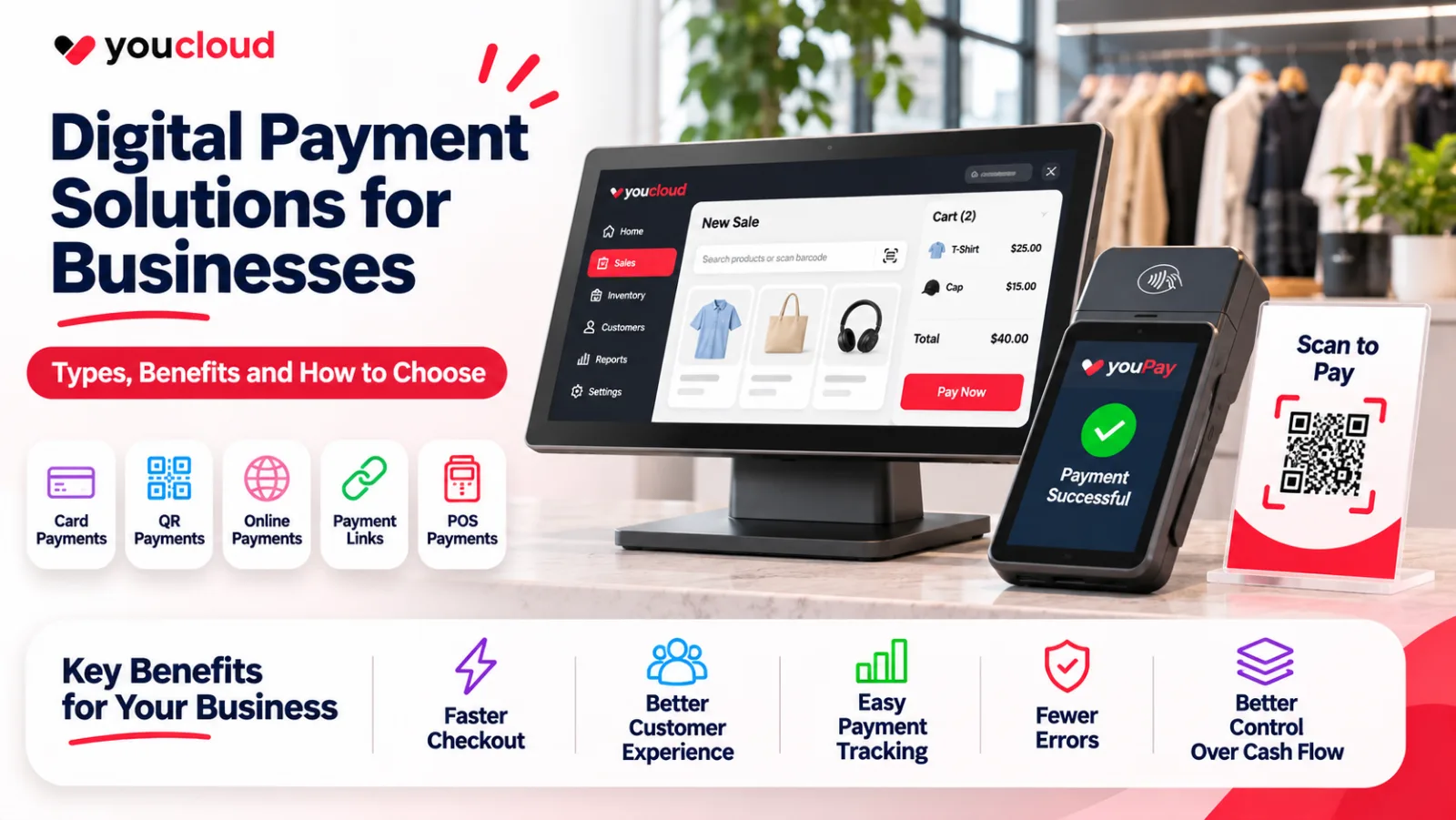
Digital payment solutions help businesses accept and manage payments without cash. These include card payments, mobile wallets, QR codes and payment links.
Unlike cash, each digital payment creates a record. As a result, business owners can track their sales and check past payments with ease.
These tools are useful for retail stores, cafés, restaurants and online shops.
Types of Digital Payment Solutions
Each business has different needs. Therefore, it is important to choose payment methods that suit your customers and daily tasks.
1. Card and Contactless Payments
Customers can pay with debit cards, credit cards or mobile wallets. They can also tap a supported card or phone on a payment terminal.
As a result, staff can serve customers faster and reduce long queues.
2. QR Code Payments
QR codes give customers a simple way to pay with their phones. They scan a code and follow the steps to complete the payment.
For example, a café can place a QR code on each table. Guests can then pay without waiting for staff to bring a card terminal.
3. Online Payment Solutions
Online payment tools help businesses accept payments through their websites and online stores.
In addition, these tools allow merchants to sell beyond their physical shops. Customers can place orders and pay from home.
4. Payment Links
A payment link lets a business request money from a customer. Staff can share the link through email, SMS or WhatsApp.
For instance, a shop can send a link to a customer who places an order over the phone. The customer can then pay online.
5. Integrated POS Payments
POS payment solutions connect sales and payments in one system. Staff do not need to enter the same amount into two separate tools.
Instead, the POS sends the payment amount to a linked payment device. This can help reduce errors and save time at checkout.
Benefits of Digital Payment Solutions for Businesses
The right payment tools can make daily tasks easier. Here are five key benefits for business owners.
Faster Checkout
Customers can tap, scan or pay online. As a result, staff can spend less time on each sale and serve more people during busy hours.
Better Customer Experience
Not every customer wants to pay in the same way. By offering more choices, businesses can make shopping easier for their customers.
Easy Payment Tracking
Digital payments create a record of each sale. Therefore, owners can check past payments, find refunds and review daily sales with ease.
Fewer Manual Errors
Staff may enter the wrong amount when they use separate tools. However, a linked POS and payment system can reduce this risk.
Better Control Over Cash Flow
Clear payment records help owners see how much money comes in. Moreover, they can check when funds reach their bank accounts and plan their costs.
How to Choose the Right Digital Payment Solution
Not all payment tools offer the same features. Before you choose a provider, check how well its tools fit your business.
Here are some key things to look for:
- Support for cards, mobile wallets and QR payments.
- Easy setup with your current POS software.
- Clear fees with no unexpected costs.
- Safe tools to protect payment data.
- Simple sales and payment reports.
- Easy ways to track refunds.
- Help when payment issues occur.
Also, think about your future plans. If you open more stores, your payment system should be able to grow with your business.
Why Connected Payments Matter
Many businesses use one tool for sales and another for payments. While this may work at first, it can create more tasks as the business grows.
For example, a store owner may need to check two reports at the end of each day. If the totals do not match, staff must find the cause.
However, connected payment tools can bring sales and payment records together. This makes it easier to check daily totals and spot errors.
As a result, owners can spend more time running their business.
Manage Business Payments with YouCloud
YouCloud brings POS, sales and payments into one connected platform.
With youPay, merchants can explore payment tools that fit the way they sell. Whether you run a shop, café or restaurant, a connected setup can help make daily tasks easier.
Instead of managing separate tools, focus on serving your customers and growing your business.
Explore youPay payment solutions and find the right payment setup for your business.
Frequently Asked Questions
What Are the Main Types of Digital Payments?
Common types include card payments, mobile wallets, QR payments, payment links and online payments.
Are Digital Payments Good for Small Businesses?
Yes. They help small businesses offer more ways to pay, track sales and reduce the need to handle cash.
Can Digital Payments Work with a POS System?
Yes. Many payment tools work with POS systems. However, check that your chosen tools can connect before you buy them.
How Can Businesses Reduce Payment Errors?
Use connected sales and payment tools. In addition, check daily reports and train staff to follow the right steps at checkout.