Payment Gateway vs Payment Processor | youcloud
Payment gateway vs payment processor: what is the difference, and why does it matter? If you run a shop, café, or online store, you may see both terms on a quote. They sound similar, but they do different jobs.
Payment Gateway vs Payment Processor: The Key Difference
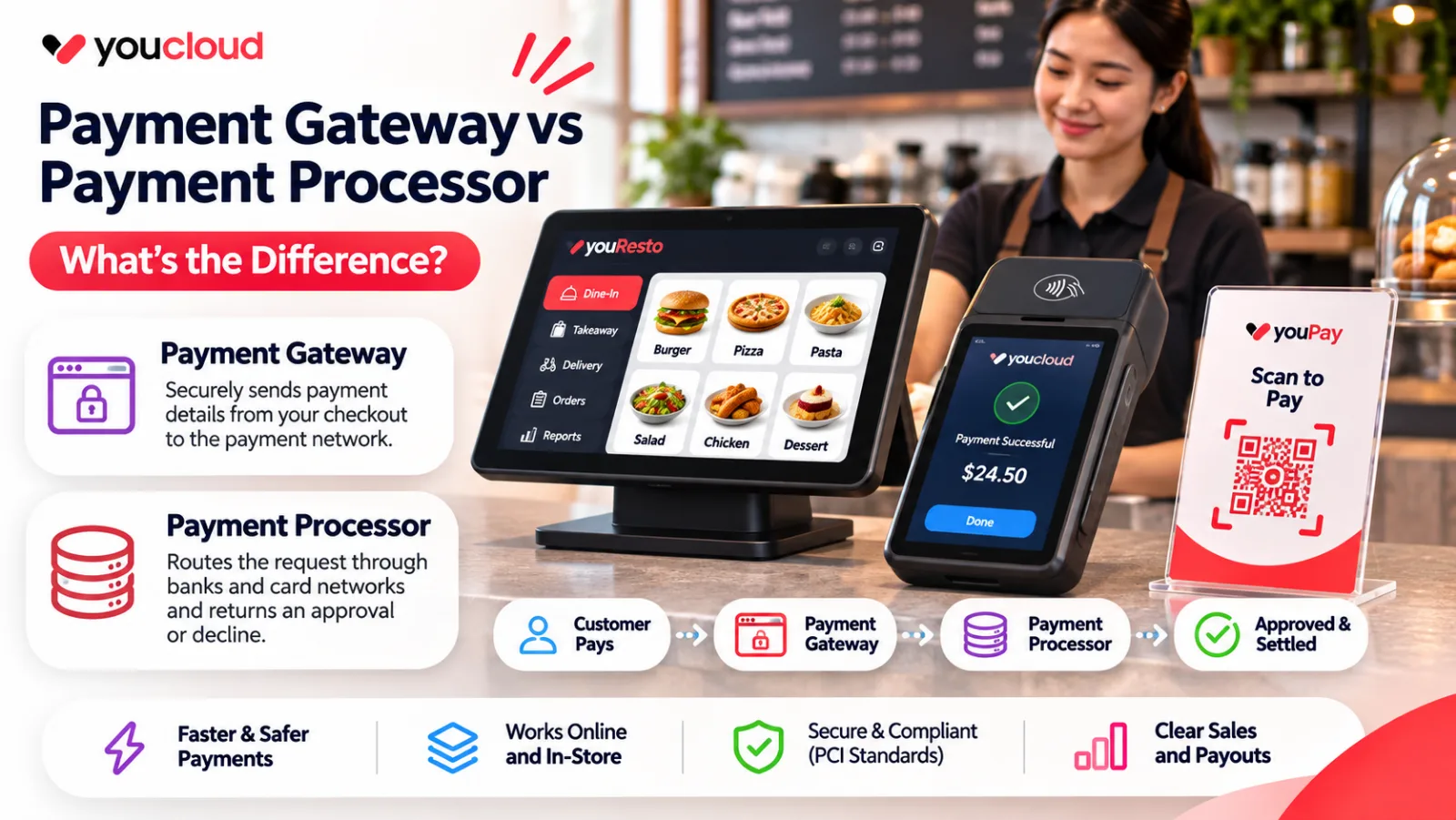
A payment gateway sends payment details from an online checkout to the services that handle the request. It also helps keep that data safe while it moves.
By contrast, a payment processor routes the card request through the right banks and card network. The processor then sends the result back to the checkout.
Think of the gateway as the link at checkout. The processor helps the payment request move through the network. However, one provider may offer both services in a single plan.
How Does a Card Payment Work?
Here is a simple look at the steps.
- A customer starts the sale. They enter card details online or tap a card at a terminal.
- The payment details move. For online sales, a gateway sends the request through a secure link.
- Next, the processor routes the request. It passes the data through the card network and banks.
- The customer's bank replies. It approves or declines the request based on its checks.
- Finally, the result appears. Your checkout shows the answer. Approved payments are later cleared and settled.
As a result, a sale may be approved in seconds. Still, the money may reach your bank later. Payout times depend on your provider and plan.
For in-store sales, the path can look a little different. A card terminal may connect to the processor without a separate online gateway.
Payment Gateway vs Processor: What Does Each One Do?
A payment gateway mainly helps you:
- Send online payment details through a secure link.
- Connect checkout pages to payment services.
- Use payment checks when the provider offers them.
A payment processor mainly helps you:
- Route card requests to banks and card networks.
- Return approval or decline results.
- Support clearing, settlement, and other payment tasks under its service terms.
In practice, you may not need to buy these tools from two firms. Many providers bundle them. So, compare the full service, not just the name on the quote.
What Should Your Business Check Before Choosing?
1. Look Beyond the Card Rate
A low rate may sound like a good deal. However, you should also ask about setup costs, monthly fees, refunds, and disputes. Then work out the likely cost for your sales volume.
2. Match the Tools to Your Sales Channels
First, list where customers pay. Do they use your website, a counter terminal, or a QR code? Next, ask which payment methods and channels the provider supports.
If you sell both online and in person, check how the two sets of sales appear in your reports.
3. Ask When You Will Get Paid
An approved sale is not the same as a bank payout. Therefore, ask about payout dates, delays, and any hold on funds. Also, find out how long refunds take.
4. Check Security and Support
Card payments need care. So, ask how the provider protects payment data and handles failed sales. The PCI Security Standards Council has more details on card data safety.
Before you sign up, test a normal sale and a failed payment. If possible, test a refund too.
5. Review Your Daily Reports
Separate tools can leave your team with extra work. For instance, staff may need to match POS sales against card payouts by hand.
Instead, ask whether your sales and payment reports can work together.
Common Payment Setup Mistakes
Choosing only by price. A low fee does not help much if payments fail or support is hard to reach.
Assuming all plans are the same. Some providers bundle gateway and processor services. Others charge for extra tools. Always check what is included.
Skipping a live test. Try the checkout before launch. Then review the sale in your reports to spot gaps.
Forgetting about busy hours. A slow checkout can hold up a queue. Ask what happens when the internet drops or a terminal stops working.
Where Does youPay Fit?
The right payment setup should fit the way you sell. It should also make daily checks easier for your team.
Explore youPay to learn about YouCloud's payment offering. Then ask which payment channels, POS links, and payout options are available for your business.
Frequently Asked Questions
Do I Need Both a Payment Gateway and a Processor?
Online card payments need both the gateway and processing functions. However, you may get them from one provider. For in-store sales, a card terminal may use a different setup.
Can One Provider Offer Both Services?
Yes. Many firms offer a gateway and a processor in one plan. Still, compare the fees, tools, and support before you decide.
Is a POS Terminal the Same as a Payment Gateway?
No. A POS terminal is a device that can take payments in person. A gateway is a service that sends payment data, often from an online checkout. Some providers connect these tools in one system.