Multi Location Inventory Management: Transfers, Pricing and Reporting
Running more than one retail store? Learn how to track stock across branches, manage transfers, keep prices in check and use reports to make better decisions.
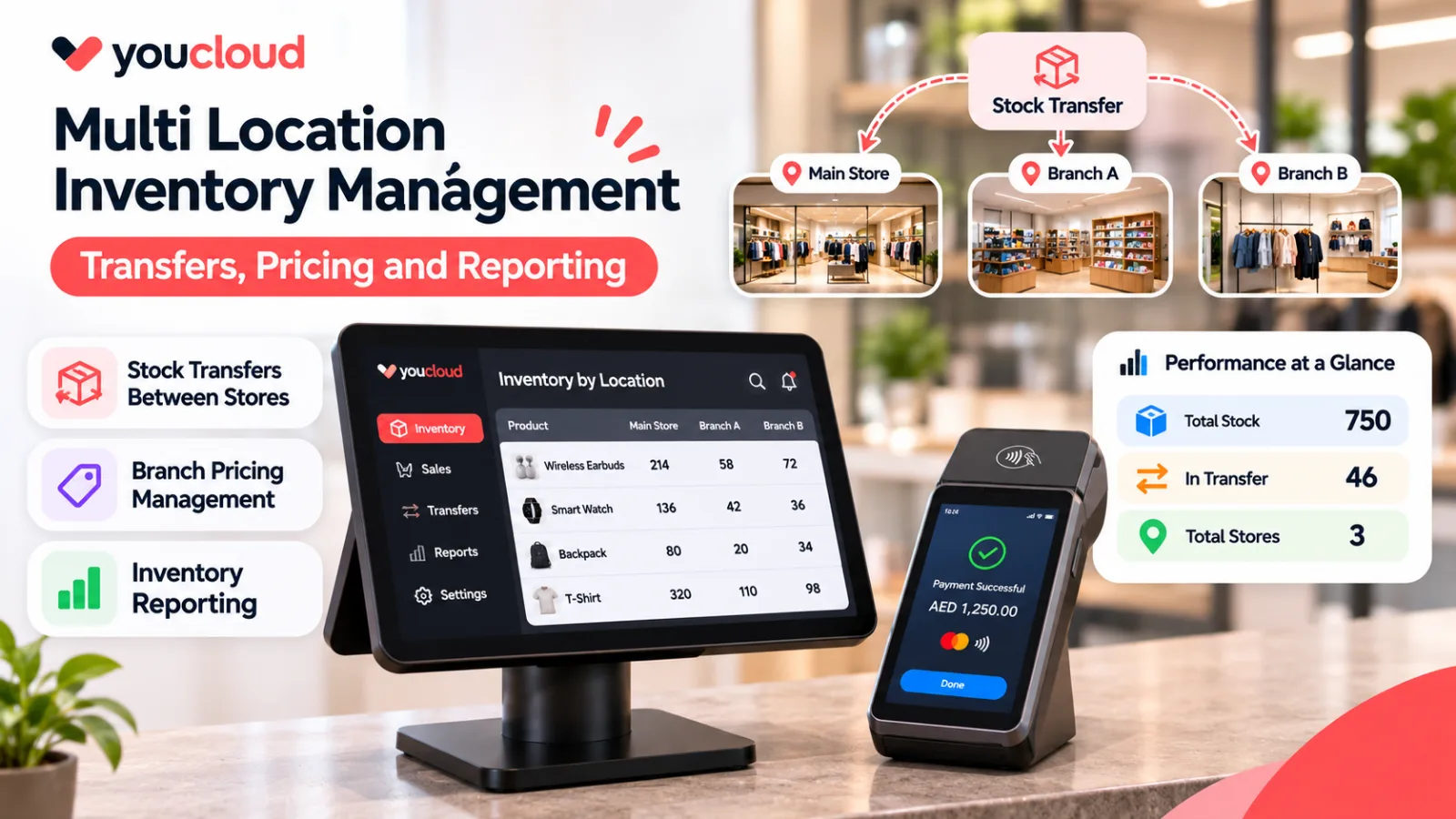
Multi location inventory management helps retailers track stock across two or more stores. It shows where items are, what has sold, and which branch needs more stock. Without a shared view, staff may waste time checking sheets or calling other shops.
For example, one store may have spare jackets while another runs out. A few clear steps can help both teams use stock better.
Why Stock Gets Harder With More Stores
Each branch receives goods, makes sales, handles returns, and counts stock. However, updates may not reach head office at the same time. As a result, a business may order goods it already has.
Centralized inventory management puts records in one shared view. It does not replace stock checks. Instead, it helps teams work from the same numbers.
1. Track Stock at Each Location
Start with one product code for each item. Then record how many units each store holds. For sizes and colours, track each version on its own.
Next, assign staff to record deliveries, returns, damage, and stock counts. Also, check that online and in-store sales do not count the same item twice.
A retail POS with multi-location inventory sync can help link sales with stock records. Still, staff must record stock that moves outside a sale.
2. Manage Stock Transfers Between Stores
Moving goods between branches sounds simple. Yet errors happen when one store removes stock and the other forgets to add it.
Use five steps for stock transfers between stores:
- Request: Store B asks for six units.
- Approve: A manager checks whether Store A can spare them.
- Dispatch: Store A records six units as sent.
- Receive: Store B checks the delivery and records what arrived.
- Resolve: Staff report any missing or damaged items.
For example, Store A has 20 units and Store B has only two. If Store B sells faster, moving six units may help avoid a stockout.
However, those units should not appear as ready to sell at both stores. Mark them as in transit until Store B confirms delivery.
3. Keep Branch Pricing Clear
Retailers also need to control prices across stores. First, set a base price for each item. Then decide if every branch will use it.
For example, a weekend offer may run in one mall but not another. Staff should know when it starts and ends.
Before a price change, check the product code, branch, and start date. Next, test a sale at the till. A wrong price can lead to refunds and unhappy customers.
4. Use Inventory Reporting to Make Better Stock Decisions
A long report is not always a useful report. Instead, focus on numbers that help you act.
- Stock on hand: See which branch has each item.
- Low-stock items: Find goods that may sell out soon.
- Sales by location: Spot fast and slow sellers at each shop.
- Transfer time: See how long stock takes to reach another store.
- Stock accuracy: Compare system counts with shelf counts.
- Margin by branch: Check how costs and offers affect profit.
Review these figures each week. Then move stock, place orders, or fix errors based on what you find.
5. Avoid These Common Multi-Store Mistakes
Ordering too soon. Another branch may have spare stock. Check before you buy more.
Using different item names. One product should have one code across stores. Otherwise, reports may not match.
Skipping transfer receipts. Sending goods is only half the task. The receiving team must confirm the count.
Changing prices without testing. Always check that the till shows the right price.
Skipping shelf checks. Even good software needs real stock counts. Returns, damage, and loss can cause gaps.
When Is It Time for a Connected System?
Spreadsheets can work for a few shops with small product lists. However, they become harder to manage as sales grow.
If staff spend hours fixing counts, look at unified POS and inventory platforms for multi-location retailers. Before you choose one, check how it handles transfers, returns, price changes, and reports. Also, ask for a demo based on your stores.
Connect Your Stores With youShop Enterprise
Separate sales and stock tools can lead to extra work. A connected setup helps teams keep a clearer view across branches.
Explore youShop Enterprise to see YouCloud's approach to multi-store retail operations. Check which tools fit your business and plan.
The goal is simple: know where stock is, move it when needed, and act on clear reports.
Frequently Asked Questions
What is multi location inventory management?
It means tracking stock across two or more stores, including sales, deliveries, returns, and transfers.
How do you transfer stock between stores?
Record the request and dispatch. Then confirm the goods when they arrive. Keep them marked as in transit until that check is complete.
Should every store use the same prices?
Not always. A base price makes control easier, but some stores may need local offers. Clear rules help prevent mistakes.