Best POS System for Restaurants: Buying Guide
Learn how to choose the best POS system for restaurants, compare features for cafés, QSRs and full service dining, and avoid common buying mistakes.
Choosing the best POS system for restaurants starts with knowing how your business runs. A busy coffee shop has different needs from a fast food outlet or a fine dining restaurant.
For example, a café needs quick billing, while a full service restaurant needs better control over tables and kitchen orders. The wrong setup can slow down service, increase errors and frustrate guests.
Therefore, restaurant owners should look beyond price and focus on tools that solve daily business problems.
What to Look for in a Cafe POS System
Cafés often serve many customers in a short time. Morning rush hours leave little room for slow checkout or order errors.
A good cafe POS system should help staff take orders, add custom options and collect payments without delay.
For example, guests may ask for extra coffee shots, different milk options or larger drink sizes. Staff should be able to add these choices without slowing down the queue.
When choosing a coffee shop POS system, look for:
- Quick billing and payment options.
- Easy menu updates.
- Custom drink and food options.
- Takeaway order support.
- Daily sales reports.
In addition, a simple screen helps new staff learn the system faster.
Choosing a Fast Food POS System for QSRs
Quick service restaurants (QSRs) depend on speed and order accuracy. Even small delays can cause long queues during busy hours.
A fast food POS system should help teams move orders from the counter to the kitchen with fewer steps. It should also make it easy to manage meal deals, add-ons and different order types.
For instance, cashiers should be able to add a meal combo without typing each item by hand.
When comparing a QSR POS system, check for:
- Fast order entry.
- Meal combos and menu options.
- Dine-in, takeaway and delivery orders.
- Kitchen order tracking.
- Multiple payment methods.
Moreover, test the system during a mock rush hour. A real order test can reveal problems that a standard product demo may miss.
What Full Service Restaurants Need From a POS
Full service restaurants have more complex service needs. Guests may order several courses, move between tables or ask to split their bills.
As a result, a full service restaurant POS needs to connect front-of-house staff with the kitchen.
Good restaurant table management software helps staff track open tables, active orders and bills. It also gives managers a clearer view of what is happening on the dining floor.
Key features to consider include table layouts, split bills, order changes and kitchen communication.
However, adding more features does not always mean better service. Choose tools that match the way your team works.
Essential Restaurant POS Features to Compare
Before buying a system, check how its features support your daily tasks.
Kitchen Display System
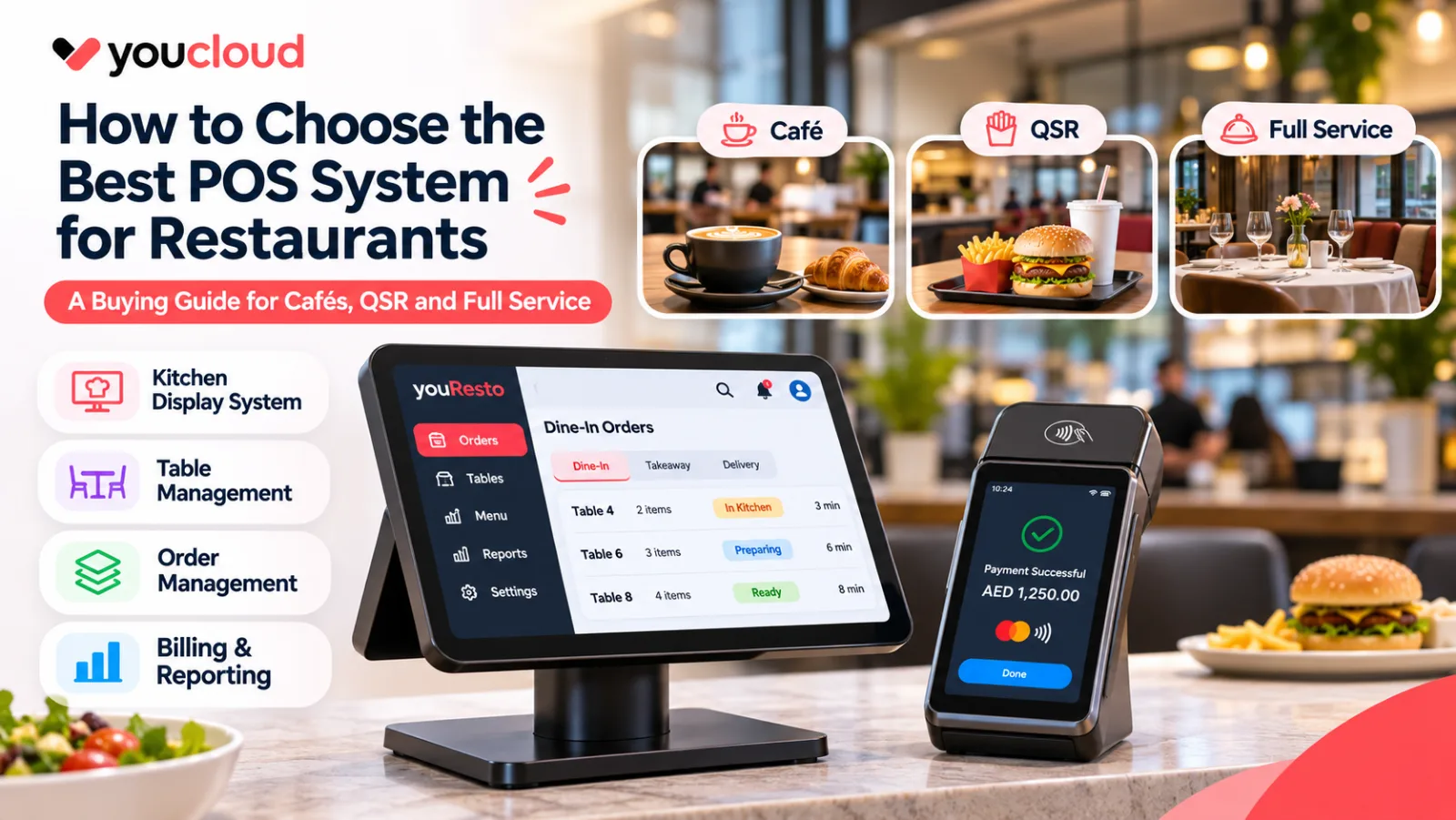
A kitchen display system (KDS) sends orders to a digital screen in the kitchen. This reduces the need for paper tickets and helps chefs track incoming orders.
As a result, kitchen staff can spend less time checking handwritten notes.
Order Management
A restaurant order management system helps teams track orders from different sales channels.
For example, staff can manage dine-in, takeaway and delivery orders with fewer manual steps if those channels are connected.
Billing and Payments
Good restaurant billing software should make checkout quick and simple. Check whether it supports your preferred payment methods, discounts and refunds.
Also, review payment fees and card data security. The PCI Security Standards Council provides useful guidance on payment security.
Sales and Inventory Reports
Restaurant owners need to know which menu items sell well and when demand is highest.
With useful reports, managers can plan stock purchases, adjust menus and schedule staff more effectively.
Offline Support
Internet outages should not bring your restaurant to a stop. Therefore, ask which POS features work offline and how the system syncs data when the connection returns.
How Much Should You Spend on a Restaurant POS?
The lowest monthly price does not always mean the lowest total cost.
Besides software fees, restaurant owners should consider hardware, payment fees, extra modules, support and setup costs.
For example, a small café may only need one checkout device. A larger restaurant may need several terminals and kitchen screens.
Review the YouCloud pricing plans to explore available options for your business.
Common Mistakes When Buying a Restaurant POS
Many restaurant owners choose a system based on price or a short sales demo. However, this approach can lead to problems later.
Avoid these common mistakes:
- Buying features your staff will never use.
- Ignoring kitchen and counter workflows.
- Overlooking payment and hardware costs.
- Skipping a proper test before purchase.
- Choosing a system that cannot grow with your business.
Instead, ask your team to test real orders, refunds and common menu changes before making a decision.
Choose the Right Restaurant POS With youResto
Your POS should make daily service easier, not create more work for your team.
youResto is designed for restaurant operations, with the aim of connecting ordering, billing and kitchen workflows.
Whether you run a café, a quick service outlet or a full service restaurant, start by identifying the tools your team needs most.
Ultimately, the best POS system for restaurants is one that fits your service model, helps staff work faster and supports your business as it grows.
Explore youResto to find the right setup for your restaurant.